
Printable card sizes: the complete UK guide
Most printable cards fall into a handful of standard finished sizes. Here are the ones you will use most often, with both flat (pre-fold) and finished dimensions:
Folded greeting card sizes:
- A7 / 5" × 7" — finished 127 × 178 mm (5" × 7"); flat sheet 254 × 178 mm (10" × 7"). The most popular size for greetings and photo cards.
- A6 — finished 105 × 148 mm (4.13" × 5.83"); flat sheet 210 × 148 mm (8.27" × 5.83"). Standard for everyday cards and invitations.
- A2 — finished 108 × 140 mm (4.25" × 5.5"); flat sheet 216 × 140 mm (8.5" × 5.5"). Common for thank-you and note cards.
- 5.5" × 8.5" — finished 140 × 216 mm; flat sheet 279 × 216 mm (11" × 8.5"). A larger format for premium greetings.
- 5" × 5" square — finished 127 × 127 mm; flat sheet 254 × 127 mm. Popular for modern, minimal designs.
Flat cards and other formats:
- DL — 99 × 210 mm (3.9" × 8.27"). Fits a standard DL envelope; used for slim greetings and promotional mailers.
- Business card — 85 × 55 mm (3.35" × 2.17"). The standard UK business card finished size; artwork with 3 mm bleed should be 91 × 61 mm.
- A5 flat — 148 × 210 mm (5.83" × 8.27"). Often used as a single-sided photo card or postcard.
The A7/5×7 and A6 folded sizes cover the majority of greeting card sizes sold in the UK. Square cards and DL formats are growing in popularity but can attract additional Royal Mail postage — more on that below.
Key takeaways
Standard printable card sizes in the UK follow a small set of finished dimensions, and every print-ready file needs 3 mm bleed, a 3 mm safe zone, 300 DPI resolution, and CMYK colour mode to produce a clean result.
| Point | Details |
|---|---|
| Most-used folded sizes | A7/5×7 (127 × 178 mm), A6 (105 × 148 mm), and A2 (108 × 140 mm) cover most greeting card needs. |
| Bleed and safe zone | Add 3 mm bleed on all outer edges; keep content 3 mm inside the trim line to avoid clipping. |
| Resolution | Set files to 300 DPI at final trim size; a business card at 85 × 55 mm equals approximately 1004 × 650 pixels. |
| Paper weight | Use 300–350 GSM for premium greeting cards and 250–300 GSM for standard cards; score anything above 300 GSM before folding. |
| Envelope and postage | Match card trim to a standard UK envelope (C6, DL, 5×7); square cards attract a Royal Mail non-machinable surcharge. |
| Craftsuprint downloads | Craftsuprint offers UK-ready printable card templates with trim, bleed, and envelope pairing guidance built in. |
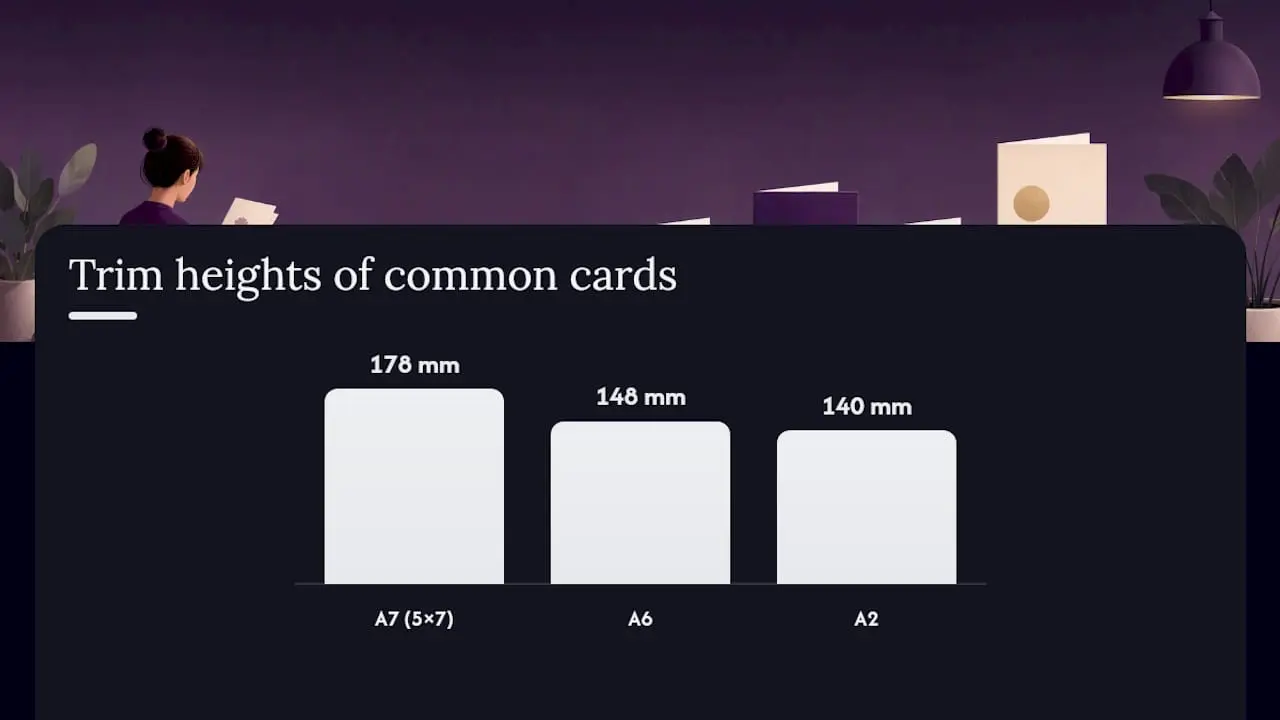
Table of Contents
- Standard printable card sizes: mm, inches and 300 DPI pixels
- How to set up print-ready files for cards
- Envelope sizes and Royal Mail postage for UK cards
- Recommended paper weights and finishes for UK cards
- Pre-flight checklist and common mistakes to catch before printing
- Where to find print-ready UK card templates
- A note on what actually goes wrong with printable downloads
- Craftsuprint: UK-ready printable card downloads, ready to print
- Sources
- FAQ
Standard printable card sizes: mm, inches and 300 DPI pixels
The table below gives every common card format with finished trim, flat sheet, artwork size including 3 mm bleed, and pixel equivalents at 300 DPI. Use the artwork column as your artboard size in Canva, Adobe Express, or any design application.
Fold vs flat: a folded card’s flat sheet is simply twice the width of the finished front panel. A 5.5" × 8.5" flat sheet folds to a 5.5" × 4.25" finished card — the fold runs along the long edge. Your artboard should be set to the flat sheet size plus bleed on all four outer edges; the fold line itself needs no bleed.
Envelope and postage note: DL and square cards often require non-standard envelopes. Square cards may also be classed as non-machinable by Royal Mail, which adds to postage cost. Check sizing before committing to a square format for a large mailing run.
How to set up print-ready files for cards
Four rules cover almost every print failure before it happens: 3 mm bleed on all outer edges, a 3 mm safe zone inside the trim line for important content, 300 DPI at final trim size, and CMYK colour mode exported as a PDF with crop marks.
Bleed and safe zone explained:
- Bleed extends your background colour or image 3 mm beyond the trim line so the cutter never leaves a white sliver.
- The safe zone sits 3 mm inside the trim. Keep all text, logos, and key design elements within it — anything closer risks being clipped.
- For a business card at 85 × 55 mm, your artboard is 91 × 61 mm (bleed included) and your safe zone is 79 × 49 mm.
Resolution and pixel equivalents: Working in pixels? Set your artboard to the artwork-with-bleed pixel size from the table above. A 300 DPI file at A6 finished size (105 × 148 mm) needs an artboard of roughly 1240 × 1748 pixels before bleed, or 1299 × 1819 pixels with 3 mm bleed included. Professionals recommend a minimum of 300 DPI at final trim for photographic designs; anything lower risks visible softness on a printed card.
Colour mode and file export:
- Use CMYK, not RGB. RGB files converted at the printer can shift colours noticeably, especially deep reds and purples.
- Export as PDF/X-1a or a print-ready PDF with bleed and crop marks included. For single-sided flat art, a high-quality TIFF or JPEG at 300 DPI is acceptable for most home and online printers.
- Embed all fonts or outline them before exporting. Missing fonts are one of the most common causes of last-minute print failures.
Export checklist:
- Artboard set to artwork size including 3 mm bleed
- All images at 300 DPI or above
- Colour mode: CMYK
- Fonts embedded or outlined
- Crop marks and bleed marks visible in the PDF
- Safe zone checked — no text within 3 mm of the trim line
Pro Tip: Print one test copy on your chosen card stock before running a full batch. Trim it by hand to the finished size and fold it if needed — this catches colour shifts, resolution issues, and fold alignment problems before they cost you a full print run.
Envelope sizes and Royal Mail postage for UK cards
Choosing the wrong envelope or ignoring Royal Mail’s size rules can turn a 85p stamp into a surcharge. Here is how to avoid it.
Common envelope matches for UK card sizes:
- C7 envelope (81 × 114 mm internal) — fits a folded A8 or small flat card; tight for most greetings.
- C6 envelope (114 × 162 mm internal) — the standard match for a folded A6 card (105 × 148 mm finished).
- C5 envelope (162 × 229 mm internal) — fits an A5 flat card or a folded A5 sheet.
- DL envelope (110 × 220 mm internal) — the natural match for a DL card or a folded A4 third.
- 5" × 7" envelope (approx. 133 × 184 mm internal) — the standard match for an A7/5×7 folded card.
Royal Mail postage rules that affect card makers:
- Large Letter dimensions: up to 353 × 250 mm and no thicker than 25 mm. Most greeting cards post at this rate.
- Minimum size: 100 × 70 mm. Cards smaller than this cannot be posted as standard letters.
- Square and non-rectangular cards: Royal Mail classes these as non-machinable, which means they cannot be sorted by machine and attract a surcharge on top of the standard postage rate.
- Thickness: add embellishments (ribbon, foam pads, charms) and a card can exceed the 5 mm Letter threshold, pushing it into Large Letter pricing.
- Aspect ratio: for machinable post, the length must be at least 1.4 times the height. A square card fails this test automatically.
Pro Tip: Before printing a large run, take a finished, stuffed sample to your local Post Office and ask them to weigh and measure it. A few minutes at the counter saves a lot of postage surprises. If you are adding thick embellishments, allow an extra 2–3 mm in your envelope size selection to avoid a tight fit that damages the card.
Recommended paper weights and finishes for UK cards
Paper weight affects how a card feels, folds, and photographs. Get it wrong and even a beautiful design looks cheap.
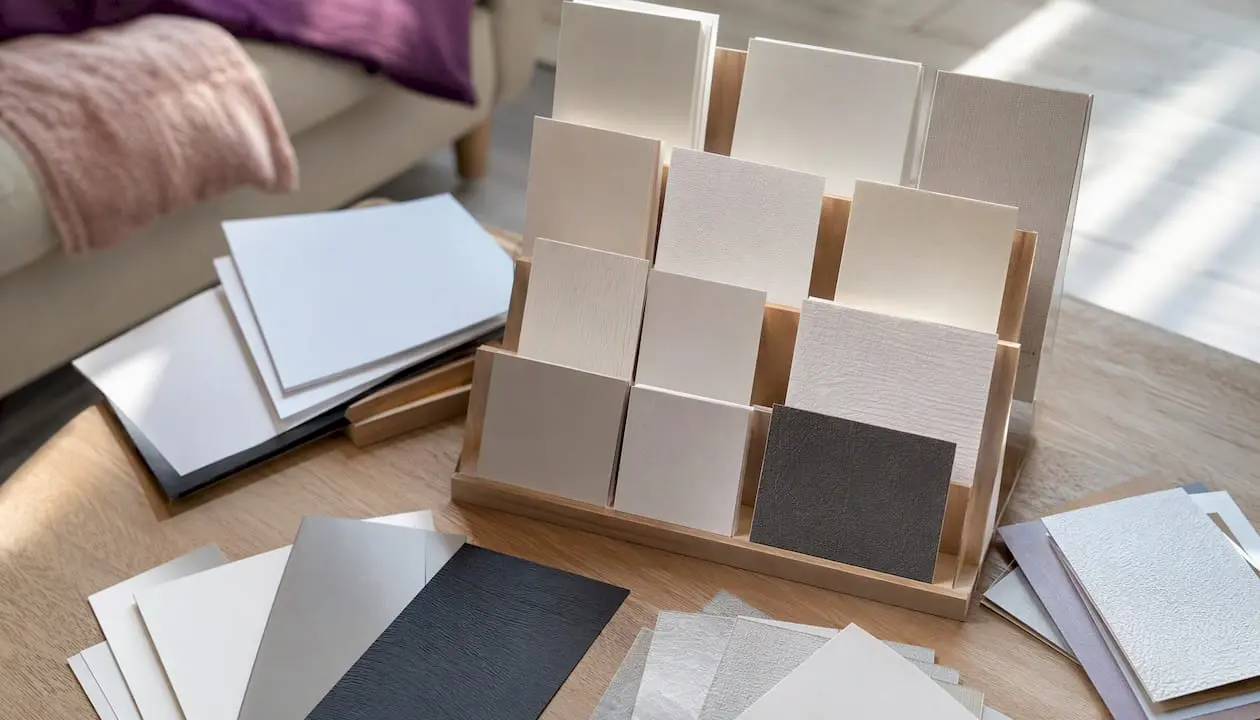
UK printers commonly recommend 300–350 GSM for premium greeting cards and 250–300 GSM for standard cards. Business cards typically run at 300–450+ GSM depending on the finish applied. Heavier stock improves perceived quality but raises cost and almost always requires scoring before folding to prevent cracking on the fold line.
How finishes affect your design:
Matt keeps hand-written messages easy to read and gives a softer, more premium feel. Gloss increases apparent colour saturation, which suits photographic cards but makes biro writing difficult. Soft-touch lamination sits between the two: a velvety surface that photographs well and feels expensive. Spot UV adds a raised gloss layer to selected areas (a logo, a flower, a border), creating contrast against a matt base. Understanding how matte and gloss finishes differ in terms of colour and writeability helps you match the finish to the card’s purpose before you commit to a print run.
Quick GSM recommendations by use case:
- Photo card or birth announcement: 300 GSM gloss or silk — colour depth and a clean, modern feel.
- Handmade-style greeting card: 300–350 GSM matt or soft-touch — suits hand-lettering and watercolour designs.
- Business greeting or promotional card: 350 GSM with matt lamination and optional spot UV on the logo.
- Invitation: 300 GSM uncoated or textured — easier to write on and gives a tactile, quality impression.
- Home-printed card: 250–280 GSM is the practical ceiling for most inkjet and laser printers; heavier stock may jam or feed unevenly.
For heavier stock, scoring before folding prevents cracking. A bone folder or dedicated scoring tool is the right choice for anything above 300 GSM — a blunt knife and ruler will do in a pinch, but a proper scoring tool gives a cleaner spine every time.
Pre-flight checklist and common mistakes to catch before printing
Run through this before every print job, no matter how simple the design.
Pre-flight checklist:
- Artboard set to the correct flat sheet size, including 3 mm bleed on all outer edges.
- All placed images at 300 DPI or above at final print size.
- Colour mode confirmed as CMYK (not RGB or spot colours unless your printer supports them).
- All fonts embedded or outlined — open the PDF in a viewer and check text has not reflowed.
- Crop marks and bleed marks present in the exported PDF.
- Safe zone checked — no text, logo, or critical element within 3 mm of the trim line.
- Fold line marked or labelled on a separate non-printing layer for the printer’s reference.
Common mistakes and how to fix them:
- Low-resolution images: placing a 72 DPI web image into a print file is the single most common error. Check each image’s effective resolution at the placed size, not just its file resolution.
- Missing bleed: a white sliver along one edge after trimming means the background stopped at the trim line. Extend all background elements to the bleed edge.
- RGB colour mode: reds and purples shift most dramatically. Convert to CMYK before export and check the preview.
- Text too close to the trim edge: even a 1 mm variance in cutting can clip text that sits inside the safe zone. Keep everything 3 mm clear.
- Unscored thick card folds: folding 300+ GSM stock without scoring causes the outer fibres to crack. Score first, always.
One-line warnings:
- Square cards attract a Royal Mail surcharge — confirm postage before printing.
- Rounded corners require a die-cut or corner-punch tool; allow for the radius in your safe zone.
- A fold crease on an unscored card is permanent and cannot be fixed after printing.
Where to find print-ready UK card templates
The fastest way to avoid setup errors is to start from a template that already has the correct trim size, bleed, and safe zone built in. The key is knowing what to look for before you download anything.
A reliable template states the finished trim size in mm, includes a 3 mm bleed on all outer edges, marks the safe zone, and provides both flat and folded artboards where relevant. It should also specify CMYK colour mode or include clear conversion notes, and carry crop marks in the exported file. If a template does not state these things explicitly, treat it as an unknown quantity and measure it yourself before designing.
What to check in any template file before you start designing: confirm the artboard matches the flat sheet size (not just the finished trim), verify the bleed layer is present and set to 3 mm, and check that the colour profile is CMYK. A template that passes all three checks will save you a reprint.
Craftsuprint is a UK-based marketplace for printable craft downloads and supplies. Its downloads are built for hobby crafters and small craft businesses, with trim and bleed guidance, UK envelope pairings, and suggested paper GSM included in the product information. That specificity is what separates a UK-ready download from a generic template that leaves you guessing whether the dimensions match a C6 envelope or a Royal Mail Large Letter.
Three things to verify before using any download:
- Does the stated finished size match a standard UK envelope (C6, C5, DL, or 5×7)?
- Is the bleed set to 3 mm on all outer edges, not just on two sides?
- Does the file include a separate flat artboard, or only the folded face?
Pro Tip: When selling printable downloads, state the finished trim, artwork size with bleed, colour mode, and recommended GSM in the product description. This single habit, recommended by experienced Craftsuprint designers, cuts support queries and keeps buyers happy with their printed results. For guidance on listing digital products accurately, the selling digital crafts guide covers the key points.
A note on what actually goes wrong with printable downloads
The most common mistake customers make with printable downloads is printing the flat artboard at the wrong scale. A file set up at A4 (210 × 297 mm) to fold to A5 gets printed at “fit to page” on an A4 sheet, which shrinks the artboard slightly and throws off every dimension.
The second most frequent issue is envelope mismatch. A card designed at 105 × 148 mm (A6 finished) drops neatly into a C6 envelope. But if the designer has added 5 mm of embellishment thickness, the envelope no longer closes cleanly. Craftsuprint advises customers to check the stuffed card against the envelope before committing to a full run, particularly when foam pads or layered elements are involved.
Resolution problems usually come from resizing a downloaded image after placing it.
Pro Tip: For home printing on card stock above 250 GSM, run a single test sheet first and score the fold line with a bone folder before folding. Local print shops will often score a batch cheaply if you supply the trimmed sheets, and the result looks far more professional than a hand-folded unscored card.
Craftsuprint: UK-ready printable card downloads, ready to print
Designing from scratch takes time you may not have. Craftsuprint’s printable card downloads give you files that already include the correct trim, bleed, and envelope pairing for UK crafters, so you spend your time making cards rather than measuring artboards.
The Create & Craft downloads section carries a wide range of print-ready card templates and kits, updated regularly with seasonal and themed designs. For physical supplies to go alongside your downloads, the craft supplies section stocks card stock, scoring tools, and finishing materials. If you want to browse community listings and classifieds for paper-craft materials, the paper crafts classifieds page is worth a look too.
Browse the Craftsuprint downloads now and find a print-ready card template that fits your next project.
Sources
- Complete UK Paper Sizes Guide | Business Cards to A0 Posters
- Business Card Sizes, Thicknesses, and Materials Compared: The Complete UK Guide - Inprint Group
- 4over4
FAQ
What are the standard printable card sizes in the UK?
The most common folded greeting card sizes are A7/5×7 (127 × 178 mm finished), A6 (105 × 148 mm), and A2 (108 × 140 mm). Flat formats include DL (99 × 210 mm) and A5 (148 × 210 mm).
Is a greeting card A5 or A6?
Most standard folded greeting cards are A6 finished (105 × 148 mm), printed on an A5 flat sheet that folds in half. A5 is also used as a flat, single-sided card or postcard format.
What size should I set my artboard when printing a card?
Set your artboard to the flat sheet size plus 3 mm bleed on all outer edges. For a folded A6 card, that means an artboard of 216 × 154 mm, with the fold running down the centre of the long edge.
Are cards A4 or A5 before folding?
It depends on the finished size you want. An A5 finished card folds from an A4 flat sheet (210 × 297 mm). An A6 finished card folds from an A5 flat sheet (148 × 210 mm). The flat sheet is always one size up from the finished folded card in the A-series.
Where can I get print-ready card templates sized for UK envelopes?
Craftsuprint offers printable card downloads with finished trim, bleed, and UK envelope pairing guidance included, making them a practical starting point for hobby crafters and small card-making businesses.