
Avoid smears and weak blacks when you print on acetate in the UK
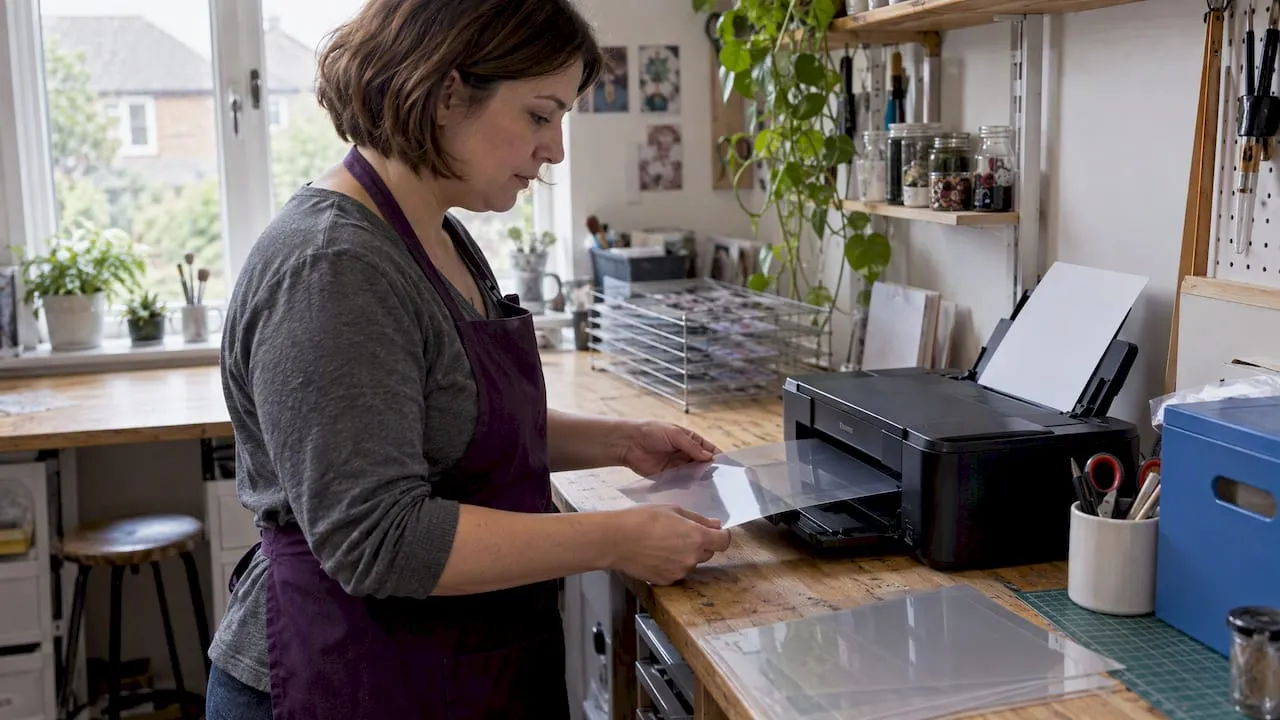
Yes, you can print on acetate, but only on purpose-made printable film with a coating designed to take ink or toner. For high-fidelity, large-format or repeat jobs, a professional print service is the safer route; for small craft runs, coated inkjet film through a home printer can work well if you get the settings right.
TL;DR:
- Professional printing is recommended for large runs, dense black images, or projects requiring precise color matching or opacity.
- Coated micro-porous acetate films are essential for inkjet printing, with thickness from 100 to 200 microns depending on the project’s durability needs.
- Inkjet printers using high resolution (about 300 dpi) and specific media settings deliver the best detail and color on coated acetate sheets.
- Preparing artwork involves converting images to CMYK, inverting negatives for cyanotype, and saving in PDF or JPEG formats, with supplier-specific templates.
- Troubleshooting common issues includes verifying proper coating, sheet orientation, and drying times, particularly to prevent smearing, beading, or weak blacks.
Table of Contents
- Should you DIY or use a professional acetate printer
- Materials: types of printable acetate and which to choose
- Printer types and recommended settings for acetate
- Artwork and file prep for acetate printing
- Step-by-step: printing acetate at home
- Troubleshooting common problems and quick fixes
- A short note on conservation, storage and safety
- A publisher’s view on where acetate fits into craft projects
- How Craftsuprint can help with your next acetate project
- Sources
- FAQ
Should you DIY or use a professional acetate printer
The right choice depends on what the print is for, how much colour accuracy matters and how many sheets you need. A single overlay for a card or scrapbook page is a different job to a screen-printing positive that needs genuinely opaque black.
Think about the end use first. Screen positives and anything needing dense, light-blocking black are usually better handled by a print service, since home inkjets rarely lay down enough pigment. Large-format artwork (A3 and above) and jobs that need colour consistency across many sheets also favour a professional, while small, one-off craft overlays, stencils or window decorations are well within reach of a home inkjet printer on the right film.
Before you commit, run through this:
- Do you need more than a handful of sheets, or true colour matching? Consider a pro.
- Is the design a simple line drawing or black silhouette? DIY is usually fine.
- Do you need it within the hour, or can you wait for postal delivery? That shapes the decision too.
Materials: types of printable acetate and which to choose
Not all acetate takes ink. Plain, uncoated acetate beads ink into droplets and smears on contact, so you need film with a coating engineered to grab it. Micro-porous inkjet printable acetate is coated specifically to absorb ink quickly and dry to a dense, stable image, which is why it’s the standard choice for stencils and UV-contact work as well as craft overlays.
Thickness matters too, measured in microns:
- Lighter films (around 100 micron) suit overlays, window clings and lightweight craft projects.
- Heavier films (150 to 200 micron or more) hold up better for stencils, repeated handling or screen positives.
- Clear film suits most craft and photographic uses, while frosted film diffuses light and softens detail, useful for certain decorative effects; for those comparing acetate to other media, you may find useful insights in the best paperlike alternatives for illustrators and note-takers
Check whether you have an inkjet or laser printer before you buy, because the two use different coatings and are not interchangeable. Inkjet film has a micro-porous coating that absorbs liquid ink; laser-compatible film is engineered to survive the heat of the fuser without warping or melting.
Pro tip: Buy a small sample pack before committing to a full box, since even the right film type can behave differently across printer brands.
Printer types and recommended settings for acetate
An inkjet printer paired with coated micro-porous film generally gives the best colour and detail for craft work, particularly with pigment inks, which tend to sit more densely on the coating than dye-based inks (our guide to pigment versus dye ink covers the difference in more depth). A mono laser printer is a perfectly reasonable choice if all you need is a simple black transparency, such as a line drawing for tracing or a basic overlay, and laser prints tend to dry instantly with no smearing risk.
Whichever printer you use, these settings matter:
- Set resolution to a high level (commonly recommended is around 300 dpi) so fine detail doesn’t blur.
- Choose the highest-quality photo or “transparency” media setting your printer offers.
- Feed one sheet manually rather than stacking several in the tray.
- Load the sheet with the coated, printable face toward the print head, usually the slightly matte side.
Artwork and file prep for acetate printing
Getting the file right matters as much as the printer. AZO Print’s acetate specification lists a standard checklist that most UK suppliers follow, and it’s worth matching before you send anything off:
- Set resolution to a high level (commonly recommended is around 300 dpi).
- Convert artwork to CMYK colour mode for professional print services.
- Save as a PDF or JPEG, since these are the formats most printers accept.
- Embed or outline all fonts so nothing reflows on their system.
- Skip printer marks and bleed unless the supplier specifically asks for them.
If you’re preparing a negative for light-sensitive processes such as cyanotype, the steps differ. A well-documented practitioner workflow for acetate negatives recommends converting the image to monochrome, boosting contrast, then inverting and mirroring it before printing, since the negative will be exposed through the back of the sheet. Whatever the job, always check your chosen supplier’s own template rather than assuming a generic checklist covers it.
Step-by-step: printing acetate at home
- Export a single test page first rather than your full design.
- Set the printer to manual single-sheet feed and select the transparency or photo media type.
- Print one sheet and leave it to dry for 5 to 10 minutes before touching it, a routine echoed in most home-printing guidance for acetate.
- Inspect closely under good light for smearing, beading or patchy colour.
- If the test looks clean, print the rest one sheet at a time rather than batching them through the tray.
Never stack freshly printed sheets before they’re fully dry, since wet ink will transfer straight onto the sheet underneath. If smearing or beading shows up on the test print, stop and work out whether it’s the film, the printer or the ink before wasting more sheets.
Pro tip: Keep one test sheet from each new film pack as a reference, so you can spot when a new batch behaves differently.
Persistent problems, large sizes or a genuine need for opaque black are all good reasons to hand the job to a professional rather than keep troubleshooting at home.
Troubleshooting common problems and quick fixes
Most acetate printing problems trace back to one of four causes.
- Smearing: usually uncoated film or slow-drying ink. Switch to coated micro-porous film or pigment ink, and give prints longer to dry.
- Beading: ink sitting in droplets rather than absorbing usually means you printed on the wrong side, or the film isn’t truly inkjet-compatible. Run a test sheet and check which face feels slightly matte or textured.
- Weak or grey blacks: home inkjets often can’t lay down enough pigment for a genuinely opaque black. For stencils or screen positives, use a printer with heavier ink coverage or go to a print service instead.
- Jams: feed one sheet at a time manually, and check there’s no leftover protective liner still attached.
A short note on conservation, storage and safety
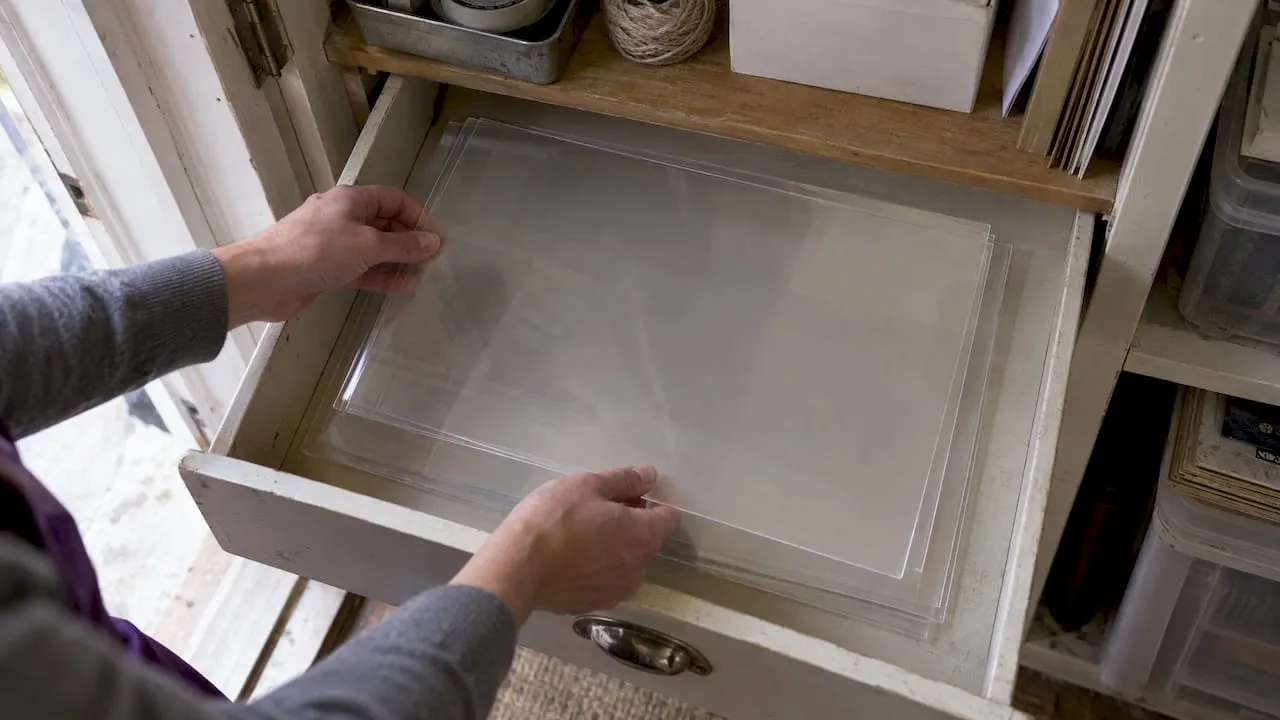
Cellulose acetate isn’t a permanent material. Academic conservation research on acetate film degradation warns that it can break down over time and release acetic acid as it ages, so don’t treat older acetate stock as archival without checking with a specialist first.
For anything you want to keep, store sheets flat in a cool, dry place and avoid sealing them in airtight enclosures for long periods, since trapped moisture and acid vapour accelerate decay. If longevity genuinely matters, it’s worth asking a specialist about archival alternatives rather than relying on standard craft acetate.
A publisher’s view on where acetate fits into craft projects
Acetate printing is one of those techniques that looks fiddly until you’ve done it once properly. Craftsuprint exists for exactly this kind of problem: it’s a platform built around craft downloads, tutorials and supplies aimed at hobby crafters, artists and small-scale designers who want to get a project right the first time. Categorised templates and tutorials are often designed to help with combining techniques like acetate overlays with card making and paper craft.
— Rob
How Craftsuprint can help with your next acetate project
If you’re pairing acetate with a card or scrapbook design, start with a template rather than a blank page. Craftsuprint’s Card Making and Scrapbooking categories give you ready-made layouts you can adapt for an acetate overlay, and the Cutting Files section is useful when a project combines acetate with die-cut shapes.
A few practical next steps before you print:
- Download a template from Card Making or Scrapbooking to plan your layout first.
- Pick up adhesives and mounting materials from Craft Supplies suited to clear film.
- Browse Designer Resources for tutorials that walk through finishing techniques before you commit a full sheet to the printer.
Sources
- Micro porous inkjet printable acetate - Gecko Paper
- Five frames of acetate negative cyanotypes (EMULSIVE)
- A system dynamics approach to modelling degradation in cellulose acetate film — UCL (abstract)
FAQ
Is it possible to print on acetate?
Yes, as long as you use acetate film designed for your printer type rather than plain uncoated acetate, which won’t hold ink or toner properly. Coated micro-porous inkjet film is the standard choice for home inkjet printers.
What printer works best for acetate?
An inkjet printer paired with coated micro-porous film generally gives the sharpest colour and detail for craft projects. A mono laser printer is a good option for simple black-only transparencies, since toner dries instantly and resists smearing.
Are inkjet printable acetate sheets available?
Yes, inkjet-compatible acetate sheets are widely sold, including micro-porous printable acetate made specifically for inkjet printers in A4 and A3 sizes. Always check the packaging specifies inkjet compatibility, since laser-only film will not accept liquid ink properly.
How do I prepare acetate for a cyanotype negative?
Convert the image to monochrome, increase contrast, then invert and mirror it before printing, since the negative is exposed through the back of the sheet. This practitioner workflow also recommends testing exposure times for your own light conditions, since results vary by printer and film thickness.
How much does professional acetate printing typically cost?
Pricing varies by supplier, sheet size, thickness and turnaround, so it’s best to request a quote directly from the print service you’re considering. Most UK suppliers price by sheet size and quantity rather than a flat rate, so costs are available on request rather than fixed in advance.