
300dpi, A4, 3mm bleed: print colouring card printables right in the UK
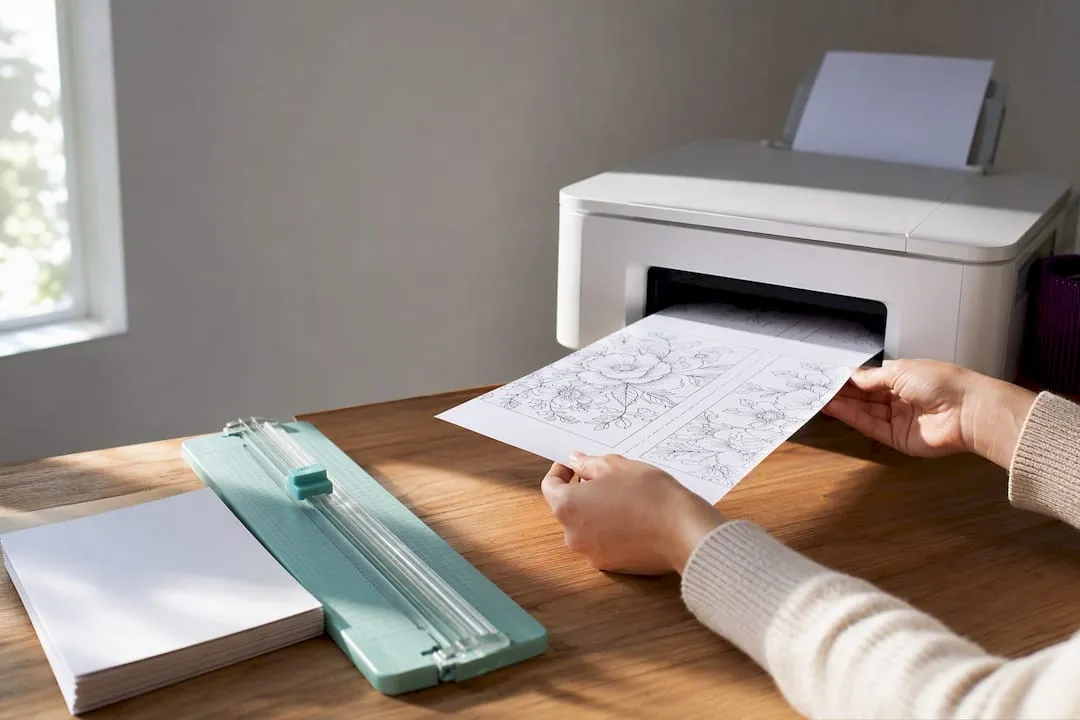
Craft marketplaces, free printable archives and creative blogs all carry downloadable colouring greeting cards, and some craft marketplaces serve as good starting points for UK-accessible templates and weekly freebies. The one rule that saves most prints: use A4-ready files where you can, and if a design only comes in US Letter, select “Fit to page” and check the margins before you print a whole batch.
TL;DR:
- Most printables are designed for A4 paper, and US Letter files should be scaled and previewed to avoid cropping or misalignment.
- For professional-quality results, use 300dpi resolution, CMYK colour mode for commercial printing, and a 3mm bleed for full-bleed designs.
- Flat, half-fold, and tent formats suit different occasions and user levels, with size and layout checks necessary before printing.
- Personalization options include simple text additions with PDF editors and small design tweaks using SVG tools to maintain print quality.
- Heavier cardstock (220–300 gsm) enhances presentation, but testing a single sheet first prevents jams or misfeeds in home printers.
Table of Contents
- Where to find colouring card printables
- How to download and prepare files for print
- Card formats, sizes and occasions
- Customising and personalising colouring card printables
- Home-printing and finishing tips
- Craftsuprint’s card printables and print-ready templates
- Why printable colouring cards keep crafters coming back
- Find print-ready card templates on Craftsuprint
- Sources
- FAQ
Where to find colouring card printables
Most colouring card designs come from three types of source, and each has a different trade-off between choice, quality and cost.
Specialist craft marketplaces sell (and sometimes give away) ready-to-print files alongside card making kits, paper patterns and tutorials. Some craft marketplaces run a model where independent designers upload themed packs, some free, some paid, and shoppers browse by occasion or style. The benefit of a marketplace over a random blog download is consistency: files are usually built to a print template, so sizing and file format are more predictable.
Large printable-collection sites and archives offer breadth. You’ll find thousands of designs across every theme imaginable, but quality varies wildly between contributors, and not every file is print-tested. Some archives bundle low-resolution scans alongside professionally drawn line art, so it pays to check the file details before downloading a whole set.
Creative blogs and teacher or homeschool resource sites often publish themed packs tied to a season or event, birthday sheets, Halloween cards, Mother’s Day designs. These tend to be simpler, single-page files rather than full folded-card templates, so they suit flat cards or DIY combinations better than pre-formatted layouts.
Pinterest is useful for spotting styles and ideas, but it’s a discovery tool, not a source. Boards link back to blogs, marketplaces or stock sites, and the quality of the original file depends entirely on where the pin actually leads. Always click through to the original page rather than saving the image itself.
Before downloading anything, run through this checklist:
- Check the stated paper size: is the file built for A4, or does it only list US Letter dimensions?
- Look for a print template or crop marks; their presence usually means the file was designed with printing in mind, not just screen display.
- Confirm the licence terms, particularly if the card is for a small business or will be shared publicly, since “free” doesn’t always mean “commercial use allowed”.
- Note the file format: PDF is generally safest for maintaining layout and print quality, while JPG or PNG files need a closer look at resolution.
A file that ticks all four boxes will save you a wasted print run later.
How to download and prepare files for print
Getting a colouring card to print cleanly comes down to four checks: paper size, resolution, colour mode and bleed.
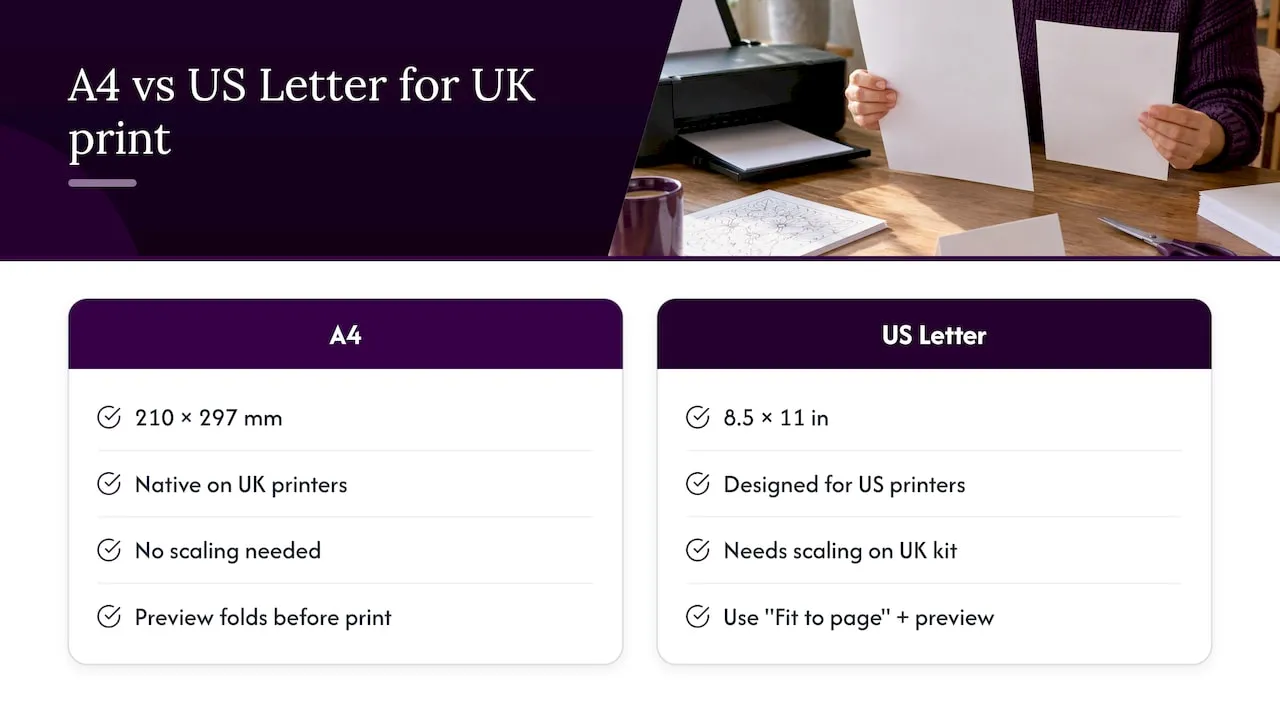
Start with paper size. In the UK, home and office printers are set up for A4, which measures 210 by 297 millimetres, while many free printables online are designed for US Letter, at 8.5 by 11 inches, because that’s the American standard. According to the complete paper sizes guide, US Letter files need scaling to print correctly on UK equipment, otherwise you risk clipped edges or off-centre designs. If a file only comes in Letter format, choose “Fit to page” in your print dialogue rather than “Actual size”, and always preview the layout first to check nothing important has been pushed off the edge.
Resolution matters just as much as size. Aim for 300dpi for any file with fine line art or large flat colour areas, since anything lower tends to look soft or pixelated once printed at full size, particularly around thin outlines that colouring designs rely on.
Colour mode is the next check. Professional print services generally expect artwork in CMYK, the four-colour process used by commercial printers, while home printers usually work from RGB files and convert automatically. The greetings cards artwork guide from Digitalprinting recommends supplying files at 300dpi in CMYK for professional runs, since RGB files sent straight to a commercial press can shift colour, producing muddy blacks or dull tones that weren’t visible on screen. If you’re printing at home, RGB is usually fine, but don’t be surprised if the colours on paper look slightly different from your monitor.
Bleed and edges are where most home prints go wrong. For any full-bleed design, one where colour runs right to the edge of the card, professional guidance from Instantprint’s bleed guide recommends a 3mm bleed allowance, extending the artwork slightly beyond the trim line so there’s no thin white sliver after cutting. Home printers, though, usually can’t print right to the paper’s edge at all, so Instantprint’s advice for home printing is to choose designs with a built-in white border instead. That avoids the trimming problem altogether, since there’s no need to cut precisely along a colour edge.
Pro Tip: Print one test sheet on ordinary paper before committing a full sheet of good cardstock, especially for folded designs where page order and orientation can easily end up reversed.
Folded cards add one more layer of checking. Before printing multiples, preview how the pages will sit once folded, particularly for a design that spans two panels, since orientation errors only become obvious once the sheet is folded and it’s too late to fix cheaply.
Card formats, sizes and occasions
Coloring card printables generally come in three finished formats, and picking the right one affects both how you print and how the recipient experiences the card.
- Flat single-sided cards are the simplest format: one design, printed once, no folding required. These work well for postcards, gift tags or quick thank-you notes, and they’re the most forgiving format for a beginner because there’s no page-order confusion.
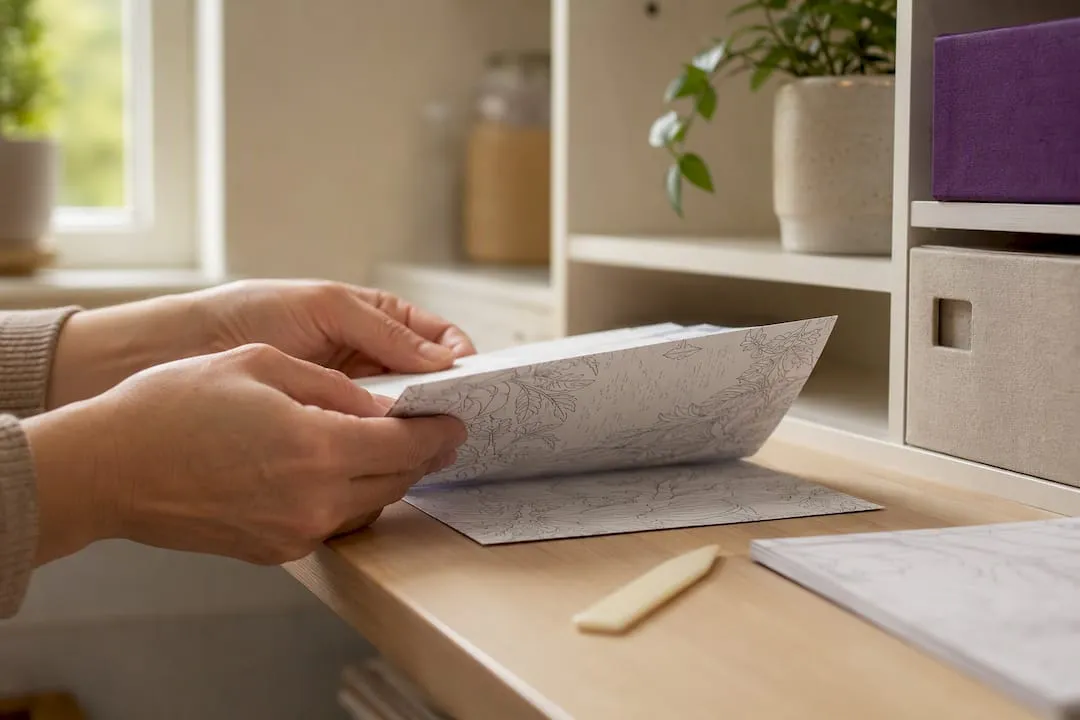
- Half-fold cards, typically an A6 finished size folded from an A4 sheet, are the standard greeting card shape. The design usually sits on the front half of the sheet with the inside left blank for a message, so check before printing that the file is laid out for folding rather than as a single flat image.
- Tent cards, folded along the top rather than the side, suit place settings or small standalone displays more than postal greetings, and they need a slightly different print layout since the design orientation flips depending on which edge folds.
For occasions, birthdays and thank-you notes tend to work well with lighter, playful line art, while sympathy or thinking-of-you cards often use simpler, more open designs that are easier to colour thoughtfully rather than quickly. Christmas and seasonal cards are usually the most detailed, since buyers expect intricate patterns, but that complexity also means smaller gaps between lines, which can be trickier for younger colourists or fine-tip pens.
Whichever format you choose, plan the finished size before you print: work out the trim size first, then check the file includes enough bleed or border to survive cutting without losing part of the design.
Customising and personalising colouring card printables
Adding a name, date or short message turns a generic printable into something personal, and most of this can be done without expensive software.
Free PDF editors let you add a text box directly onto a print-ready file, which is the simplest route if you just want to insert a name inside a card or a date on the front. For anyone editing line art itself, rather than just adding text, basic SVG editors allow small tweaks, resizing a motif, adjusting spacing or combining two design elements, while keeping the artwork sharp at any size.
A few habits keep the print quality intact:
- Embed or flatten fonts before exporting, since a font that isn’t installed on the printing device can silently swap to a substitute and throw off the whole layout.
- Save the finished file as a print-ready PDF rather than leaving it as an editable document, so nothing shifts between your screen and the printer.
- Keep line art in vector format for as long as possible, since vector files scale to any size without losing sharpness, and only convert to a raster image (like a JPG or PNG) at the final export step.
- If you do need to rasterise a design, check the resolution afterwards, since a vector file exported at low resolution will still print poorly.
Pro Tip: When combining two printables into one card, check that both files share the same resolution and colour mode before merging them, otherwise one element may print noticeably sharper or duller than the other.
Home-printing and finishing tips
A printable only looks as good as the paper it lands on, and a few print-shop habits translate well to a home setup.
- Choose the right cardstock weight. Most colouring cards work well on stock between 220 and 300 gsm, heavy enough to feel substantial without jamming a standard inkjet or laser printer. Run a single test sheet through first, since not every home printer’s feed mechanism handles the thicker end of that range.
- Feed single sheets for thick stock. Loading a full stack of heavy cardstock at once is one of the most common causes of jamming; feeding one sheet at a time takes longer but avoids misfeeds partway through a print run.
- Score before folding. A bone folder or a scoring tool along the fold line gives a cleaner, straighter crease than folding by hand, particularly on heavier stock where an unscored fold can crack the surface.
- Trim carefully. A paper trimmer with a straight edge gives a neater result than scissors, especially for cards with a white border design where a slightly uneven cut is easy to spot.
Pro Tip: If your printer has a straight-through paper path option (rather than the standard curved feed), use it for anything above 250 gsm, since a tight curve inside some printers can crease or jam thicker card.
For presentation, a plain envelope in a matching or contrasting colour lifts a home-printed card considerably, and a small insert, a coordinating gift tag or a strip of washi tape, adds a finished touch without much extra cost or effort.
Craftsuprint’s card printables and print-ready templates
Craftsuprint’s themed card collections group printable designs by occasion, which makes it easier to find something for a specific birthday, anniversary or seasonal card without scrolling through unrelated categories. Alongside the downloads, the site’s blog covers the practical side of printing: posts such as printable card sizes for the UK market and a dedicated guide to bleed and safe margins walk through the same checks covered above, tailored to the files sold on the site. There’s also a post on avoiding white edges on borderless card designs, useful if you’re working with a full-bleed template rather than a white-border one. Some marketplaces offer weekly freebies and programs allowing designers to earn from sales, helping the catalogue grow with many new additions free of charge.
Why printable colouring cards keep crafters coming back
What makes printables appealing isn’t just the price, it’s the sheer variety available in minutes. A physical card shop might stock a dozen designs for a given occasion; a marketplace can offer hundreds, spanning every style from delicate botanical line art to bold, chunky outlines suited to younger colourists.
Buying the odd paid design, rather than only downloading free ones, matters more than it might seem. Independent designers upload these files as their main source of income, and a small purchase here and there keeps that catalogue growing rather than stagnant.
The biggest mismatch I see is complexity versus recipient. A finely detailed pattern looks impressive on screen, but handed to a child with thick felt-tips, it turns into a frustrating scribble. Matching the line weight and spacing to who’ll actually be doing the colouring matters more than picking the prettiest thumbnail.
— Rob
Find print-ready card templates on Craftsuprint
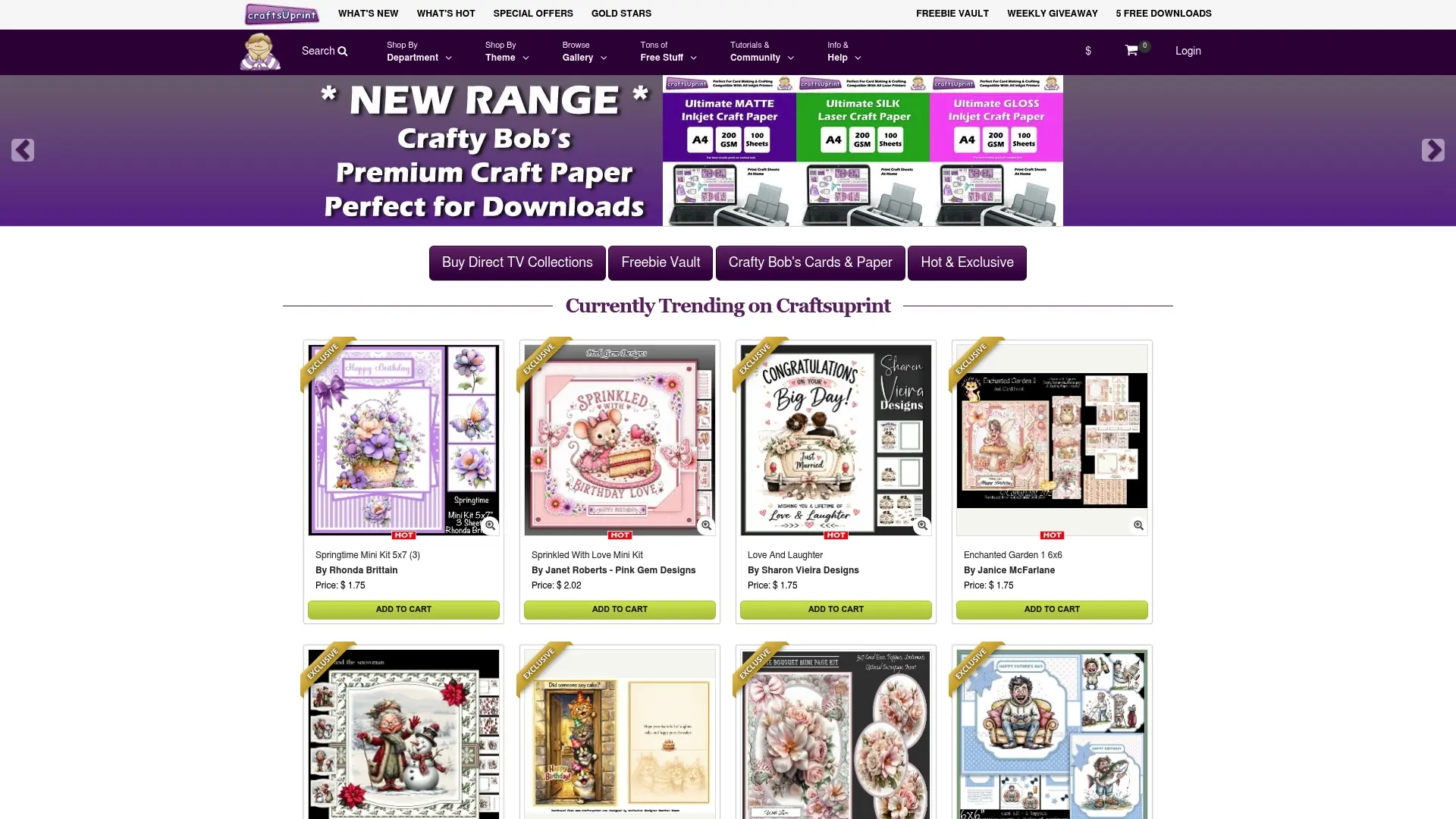
Once you know what makes a file print well, the quickest way to put that into practice is to browse designs that are already built to those specifications. Craftsuprint’s card making section covers exactly this: printable card kits and templates alongside broader paper craft downloads, with a mix of free and paid files so you’re not limited to one or the other.
A few pointers before you buy:
- It’s useful to check product print notes for file size and A4 compatibility before downloading.
- Look out for bleed or border guidance listed on the product page itself.
- Browse the cards and paper supplies section if you need matching cardstock or envelopes to finish the job.
Start with the card making category and work outward from there.
Sources
For deeper technical detail beyond what’s covered here, the artwork guide from CPCards explains bleed templates and safe text margins used by professional printers, while Mark Gray’s guide to colour profiles breaks down how ICC profiles affect CMYK versus RGB output. Craftsuprint’s own blog covers printable card sizing for crafters working from home.
- Complete paper sizes guide by ELP
- Bleed guide — Instantprint
- Greetings cards artwork guide — Digitalprinting
FAQ
Should I print colouring cards on A4 or US Letter paper?
If you’re printing in the UK, use A4-sized files where available, since that’s the standard size for UK home and office printers. If a design only comes in US Letter, select “Fit to page” in your print settings and preview the layout to make sure nothing has been cropped.
What paper weight works best for printable colouring cards?
Cardstock between 220 and 300 gsm gives a sturdy finish without overwhelming most home printers. Test a single sheet first, since some printers handle the thicker end of that range better than others.
Do I need bleed on a colouring card printable?
Only if the design runs right to the edge of the card. Professional printers recommend a 3mm bleed allowance for full-bleed designs, but for home printing it’s usually simpler to choose a design with a white border, avoiding the trimming issue altogether.
Can I add my own text to a free colouring card printable?
Yes, most PDF editors let you add a text box for a name or short message without altering the original artwork. Embed or flatten the fonts before saving so the layout doesn’t shift when it’s opened on a different device or printer.
Where can I find free colouring card printables?
Free designs turn up across craft marketplaces, themed blog archives and teacher resource sites, with Craftsuprint’s themed card collections offering a mix of free and paid downloads by occasion. Always check the file’s stated paper size and licence terms before printing or sharing it.